
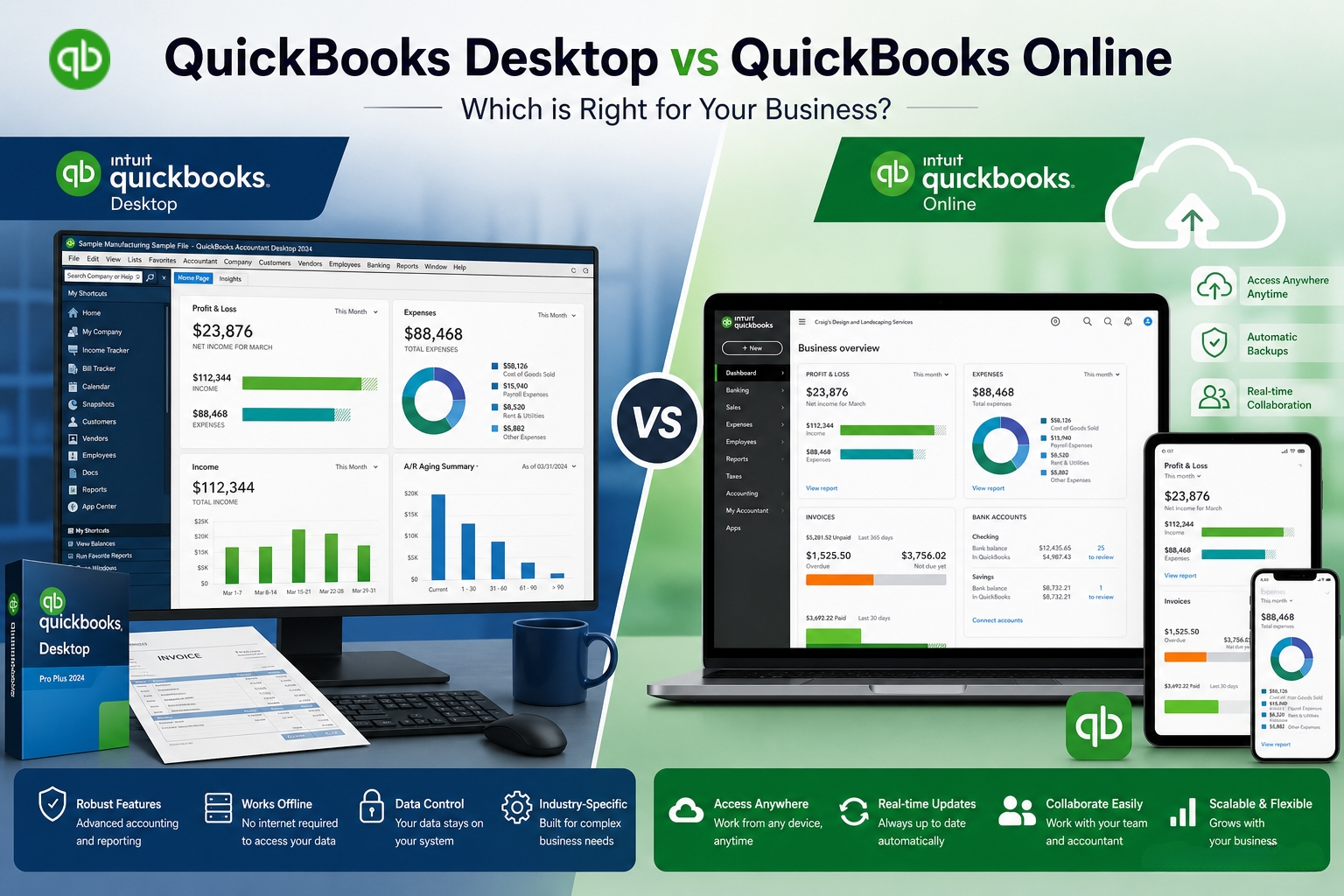
The decision between QuickBooks Desktop and QuickBooks Online in 2026 is not about which product is better in general — it is about which product matches what the business actually does every day. Intuit has clearly shifted its focus toward QuickBooks Online and stopped selling QuickBooks Desktop Pro Plus and Premier Plus to new US customers after September 30, 2024. QuickBooks Desktop Enterprise is the only Desktop version still available for new customers to purchase directly from Intuit. Despite this shift, thousands of US businesses have specific workflow requirements that QuickBooks Online cannot currently match, making Desktop the correct choice for them in 2026.
This article covers exactly which business types should stay on QuickBooks Desktop in 2026, what QuickBooks Online lacks that Desktop provides, what the current product availability and support timelines look like, and how to make the decision without being pressured into a switch that is wrong for the business’ specific operations. Every fact in this article is sourced from Intuit’s official documentation and confirmed community resources, not from marketing material.
The article also covers an important distinction that many business owners miss: hosted Desktop is not the same as QuickBooks Online. Hosted Desktop means the same QuickBooks Desktop software runs on a remote server managed by a third-party hosting company, and the user connects to it from any device. This gives the remote access benefit of QuickBooks Online while keeping every Desktop feature intact. That option matters for businesses that need Desktop capabilities but also need their team to access QuickBooks from multiple locations.
Table of Contents
The Current QuickBooks Desktop Product Landscape in 2026
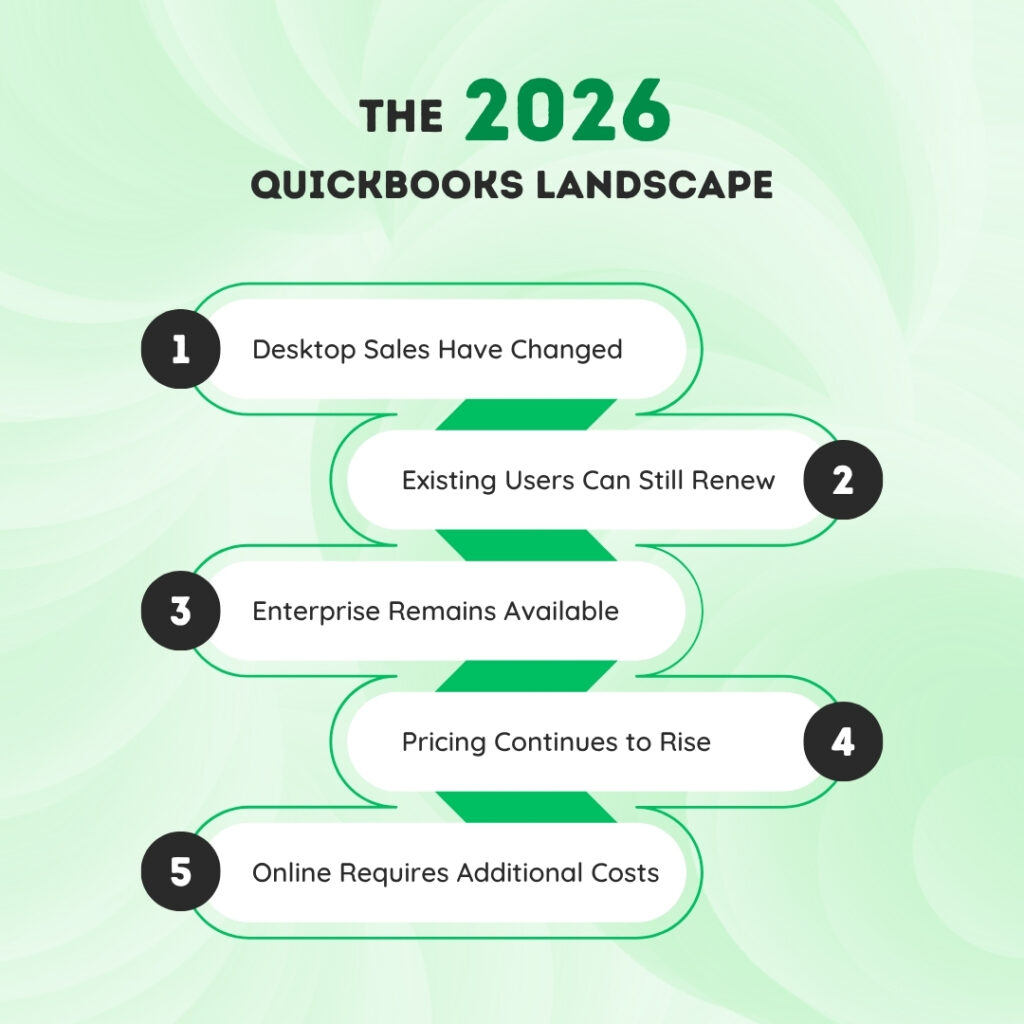
Intuit stopped selling QuickBooks Desktop Pro Plus and Premier Plus to new US subscribers after September 30, 2024. This does not affect existing subscribers — businesses already on Pro Plus or Premier Plus can continue renewing their subscriptions and receiving security updates, product updates, and support from Intuit. Desktop 2023 support ends May 31, 2026. Desktop 2024 — which Intuit confirmed as the final version ever sold to new customers — is currently scheduled for support through approximately mid-2027. Enterprise is the only Desktop product Intuit still sells to new customers and has no announced end-of-sale date.
Existing Pro Plus subscribers are renewing at approximately $1,149 per year as of early 2026. Existing Premier Plus subscribers are renewing at approximately $1,609 per year. These prices have increased 10 to 15 percent annually based on observed changes from 2023 to 2025. QuickBooks Desktop Enterprise starts at approximately $1,740 to $1,922 per year for a single user at the Silver or Gold tier, scaling up with additional users and feature tiers. QuickBooks Desktop Enterprise Diamond — the highest tier — includes fully integrated payroll, up to 40 simultaneous users, over 200 built-in reports, and QuickBooks Time Elite for job costing and time tracking.
QuickBooks Online pricing as of 2026 runs from $30 per month for Simple Start (one user, basic income and expense tracking) to $200 per month for Advanced (up to 25 users, advanced reporting, batch invoicing). Payroll is a separate add-on starting at approximately $50 per month plus $6.50 per employee. QBO prices have increased significantly over the past five years — the Plus plan climbed 64 percent and the Advanced plan jumped 83 percent between 2020 and 2025. A business evaluating the cost of switching from Desktop to Online needs to account for the full monthly cost including payroll add-ons, not just the base subscription price.
QuickBooks Desktop vs Online: Core Differences at a Glance
This table shows the factual differences between the two products based on Intuit’s confirmed feature sets. Use it to identify which platform matches the business’ specific requirements.
| Feature or Capability | QuickBooks Desktop (Enterprise) | QuickBooks Online (Advanced) |
|---|---|---|
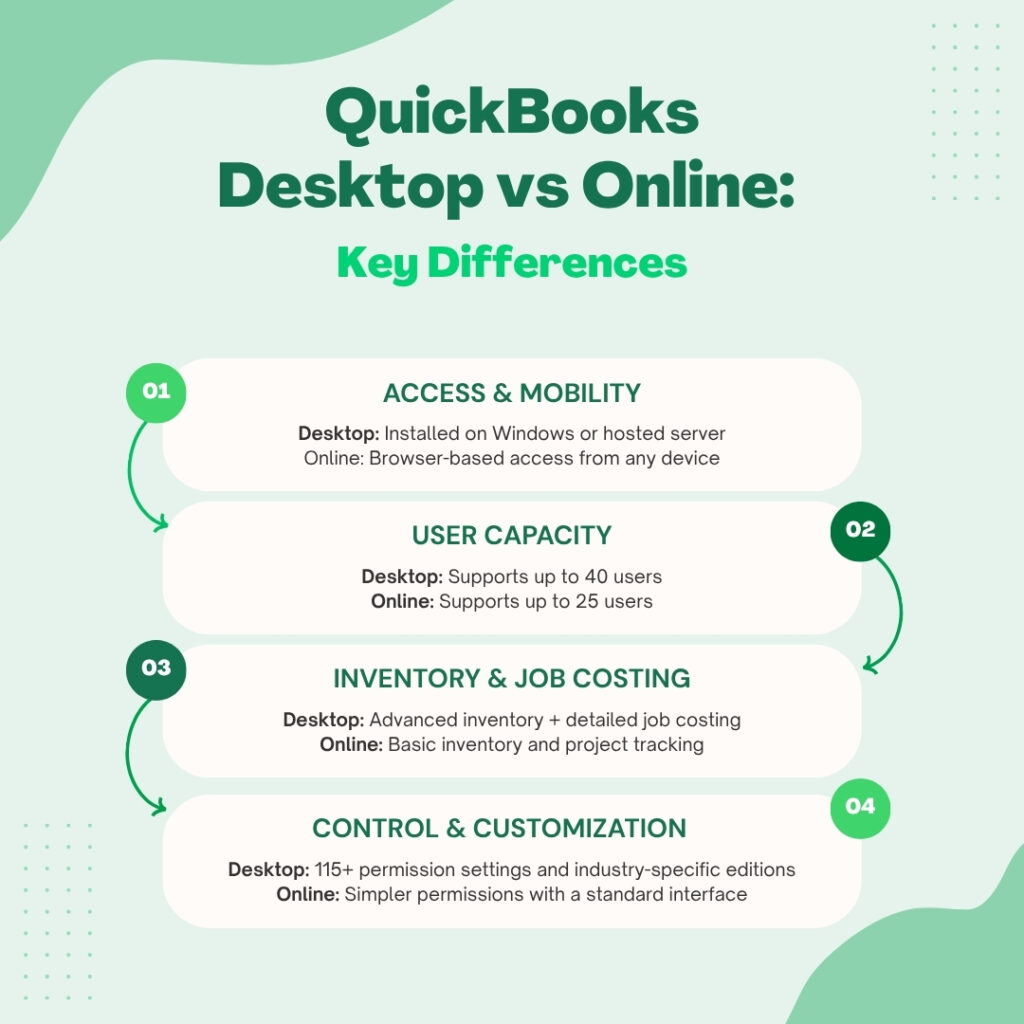
| Access method | Installed on Windows computer or hosted server; requires Windows 11 (64-bit) | Browser-based from any device with internet; mobile app included |
| Maximum simultaneous users | Up to 40 users (Enterprise) | Up to 25 users (Advanced plan) |
| Advanced inventory management | Multi-location tracking, barcode scanning, FIFO costing, serial/lot number tracking, bin location tracking (Platinum+ required) | Basic inventory in Plus plan; no multi-location, no barcode, no serial/lot tracking |
| Job costing | Full real-time job costing: labor, materials, overhead tracked per project with detailed reports | Basic project tracking; less depth than Desktop for construction and contractors |
| Industry-specific editions | Contractor, Manufacturing & Wholesale, Nonprofit, Retail, Professional Services, Accountant | No industry-specific editions; same interface for all business types |
| Pricing by customer name | Discount by individual customer name is available | Not available in QuickBooks Online |
| Sales orders and backorder management | Full sales order workflow with pick/pack/ship and backorder tracking (Enterprise) | No sales orders in QuickBooks Online |
| User permission granularity | 115+ permission settings; access restricted at individual screen level | Fewer permission levels; less granular than Desktop Enterprise |
| Third-party app integrations | Fewer integrations; limited cloud-app compatibility | 750+ third-party app integrations (Shopify, PayPal, Gusto, etc.) |
| Data backup | Manual backup required by user; .QBB files stored locally or on external drives | Automatic backup to Intuit’s servers; no user action required |
| Reports (built-in) | 200+ built-in, customizable reports (Enterprise) | Customizable reports; fewer built-in than Enterprise |
| Payroll included | Enhanced Payroll included in Gold+; Assisted Payroll in Diamond | Payroll is a separate monthly add-on; not included in base subscription |
| Internet dependency | Works fully offline; no internet required for core accounting | Requires internet connection for all access; no offline mode |
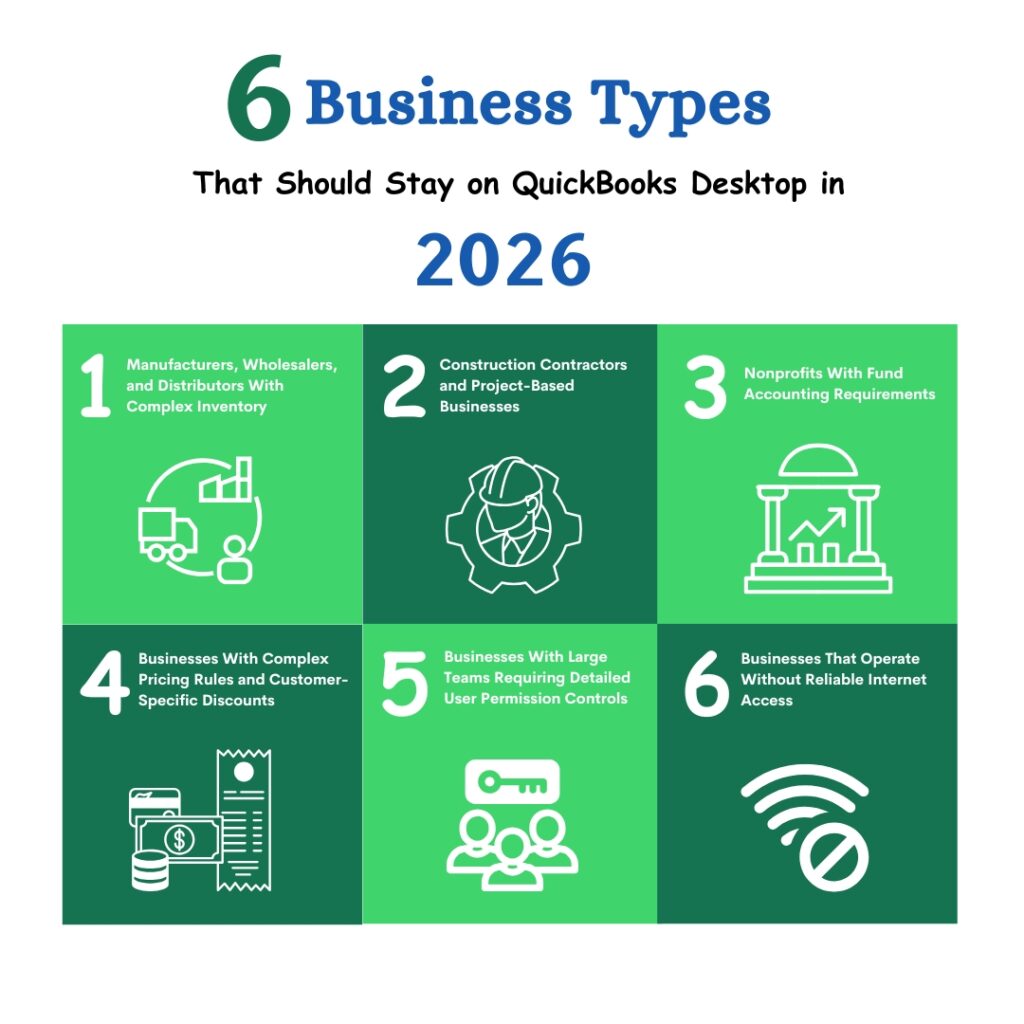
Six Business Types That Should Stay on QuickBooks Desktop in 2026
1. Manufacturers, Wholesalers, and Distributors With Complex Inventory
QuickBooks Desktop Enterprise includes Advanced Inventory — available at the Platinum tier and above — with multi-location warehouse tracking, barcode scanning for receiving and picking, FIFO costing (First In, First Out — a method of calculating the cost of goods sold based on the order items were purchased), serial number tracking for individual product units, lot number tracking for batches, and bin location tracking that identifies exactly where each item is stored in a warehouse. None of these capabilities exist in QuickBooks Online. QuickBooks Online Plus includes basic inventory tracking for product quantities and cost, but it does not have barcode scanning, multi-warehouse management, or serial and lot tracking.
A manufacturer tracking raw materials across multiple storage locations, a wholesaler running pick/pack/ship workflows for hundreds of orders per day, or a distributor managing serialized equipment inventory has no comparable option in QuickBooks Online as of 2026. Intuit’s own Enterprise page confirms: QuickBooks Desktop Enterprise provides industry-specific editions for manufacturers and wholesalers with features tailored to their workflows. Switching these businesses to QuickBooks Online would require adding third-party inventory software at additional cost to fill the gaps — which eliminates the cost argument for switching.
2. Construction Contractors and Project-Based Businesses
Job costing is the accounting method that tracks every dollar spent on a specific project — labor hours, material costs, subcontractor invoices, equipment use, and overhead — against the estimated budget for that project. QuickBooks Desktop and Enterprise provide full real-time job costing with detailed reports that show profitability per job, per phase, and per cost type. QuickBooks Online Advanced includes basic project tracking but cannot match the depth of Desktop’s job costing reports for contractors running multiple active projects simultaneously.
QuickBooks Enterprise also includes industry-specific editions for Contractors, with built-in reports like Job Profitability Summary, Job Estimates vs. Actuals, and Cost-to-Complete by Job. These reports are designed around the way construction businesses actually track work — by job phase and job cost category. A general contractor who has been using Desktop’s job costing for years and switches to QuickBooks Online will find that the project tracking in Online does not produce the same granularity of job cost reporting that Desktop did, which makes project profitability analysis less precise.
3. Nonprofits With Fund Accounting Requirements
Fund accounting is the accounting method used by nonprofits to track money by its designated purpose rather than by profit and loss. A nonprofit might have a general operating fund, a restricted grant fund, a capital campaign fund, and an endowment fund, each of which must be tracked and reported separately. QuickBooks Desktop Enterprise includes a Nonprofit edition with fund-accounting-specific reports including the Statement of Financial Position, Statement of Activities, and Statement of Cash Flows formatted for nonprofit financial reporting.
QuickBooks Online does not have a Nonprofit edition. A nonprofit using QuickBooks Online can track restricted funds using classes or locations — categories QuickBooks Online uses to organize transactions — but the built-in reports are not formatted for nonprofit financial statements. Nonprofits that report to boards, grant funders, or state charity regulators using standard nonprofit financial statement formats will find that Desktop Enterprise produces those statements directly, while QuickBooks Online requires additional report customization or third-party tools to replicate the same output.
4. Businesses With Complex Pricing Rules and Customer-Specific Discounts
QuickBooks Desktop Enterprise Platinum includes Advanced Pricing — a feature that sets pricing rules based on customer type, product category, location, quantity purchased, or any combination of these factors. A wholesaler can set one price for retail customers, a different price for wholesale accounts, and a volume discount that kicks in above a certain quantity, all within the same pricing rule set. QuickBooks Online does not have pricing by customer name or Advanced Pricing rules at this level of complexity.
The ability to apply a discount by individual customer name in QuickBooks Desktop — not available in QuickBooks Online — is a specific feature documented as a Desktop advantage by multiple independent QuickBooks comparison resources. A business that has built its pricing structure around customer-specific discount tables in Desktop would need to manually calculate and apply these discounts in QuickBooks Online, because the automation that Desktop provides for this function does not exist in Online.
5. Businesses With Large Teams Requiring Detailed User Permission Controls
QuickBooks Desktop Enterprise allows user permissions to be set at a screen-by-screen level across more than 115 different activity categories. A finance team member can be given access to enter vendor invoices but not to view payroll data or product costs. An inventory manager can receive and ship inventory but not access accounts receivable. This level of control over who can see and do what inside QuickBooks is a documented Enterprise advantage confirmed by Intuit’s own product description. The G2Crowd Summer 2025 Grid Report for Accounting recognized QuickBooks Desktop Enterprise as an accounting leader in the mid-market category, citing features including advanced user permissions as a differentiating factor.
QuickBooks Online Advanced offers user permission settings, but the granularity is lower. A business in a regulated industry — healthcare, legal, financial services — where strict internal controls over financial data access are a compliance requirement will find that Desktop Enterprise’s 115+ permission categories provide a stronger access control framework than QuickBooks Online’s available options. Intuit’s own Enterprise page confirms: “8 out of 10 QuickBooks Desktop Enterprise customers surveyed agree that using Desktop Enterprise improves their company bottom line.”
6. Businesses That Operate Without Reliable Internet Access
QuickBooks Online requires an active internet connection for every function — entering transactions, running reports, processing payroll, printing invoices. A QuickBooks Online session that loses internet access mid-task stops working immediately. QuickBooks Desktop runs entirely on the local computer and requires no internet connection for any core accounting function. Internet is only needed in Desktop for specific tasks: downloading payroll tax table updates, connecting bank feeds, and verifying the QuickBooks license. All daily accounting, invoicing, payroll processing, and reporting works completely offline.
Businesses in rural areas with unreliable internet, businesses that operate on job sites or in facilities without consistent connectivity, and businesses where internet outages are a regular operational reality cannot rely on QuickBooks Online as their primary accounting system. A single internet outage during payroll processing in QuickBooks Online stops the payroll run. The same outage in QuickBooks Desktop has zero impact on the payroll process, because Desktop does not need the internet to calculate or process payroll.
When QuickBooks Online Is the Right Choice?
QuickBooks Online is the better fit for businesses whose accounting needs match what it does well: straightforward bookkeeping, invoicing, and expense tracking for teams that work from multiple locations and devices. Intuit’s own comparison page states: QuickBooks Online allows working from virtually anywhere, on any device, with no additional fees for remote access. It integrates with over 750 third-party applications including Shopify, PayPal, and Gusto. It backs up data automatically to Intuit’s servers, eliminating the manual backup responsibility that Desktop requires.
Businesses that switched to QuickBooks Online and recommend it — approximately 84 percent of those who made the switch recommend it according to reported data — are overwhelmingly businesses with simple accounting needs, remote teams, and no complex inventory or job costing requirements. Retail businesses using Shopify, service businesses with straightforward invoicing, and startups that need bookkeeping without the infrastructure of a locally installed system are the clearest QuickBooks Online fits.
The honest consideration is cost trajectory. QuickBooks Online Advanced at $200 per month ($2,400 per year) plus payroll at $50 per month plus $6.50 per employee totals $3,000 or more annually before any additional integrations. QuickBooks Desktop Pro Plus for an existing subscriber at approximately $1,149 per year with Enhanced Payroll costs less for a business that does not need the Online features. The cost argument for switching to Online weakens significantly when the full feature-adjusted cost comparison is made.
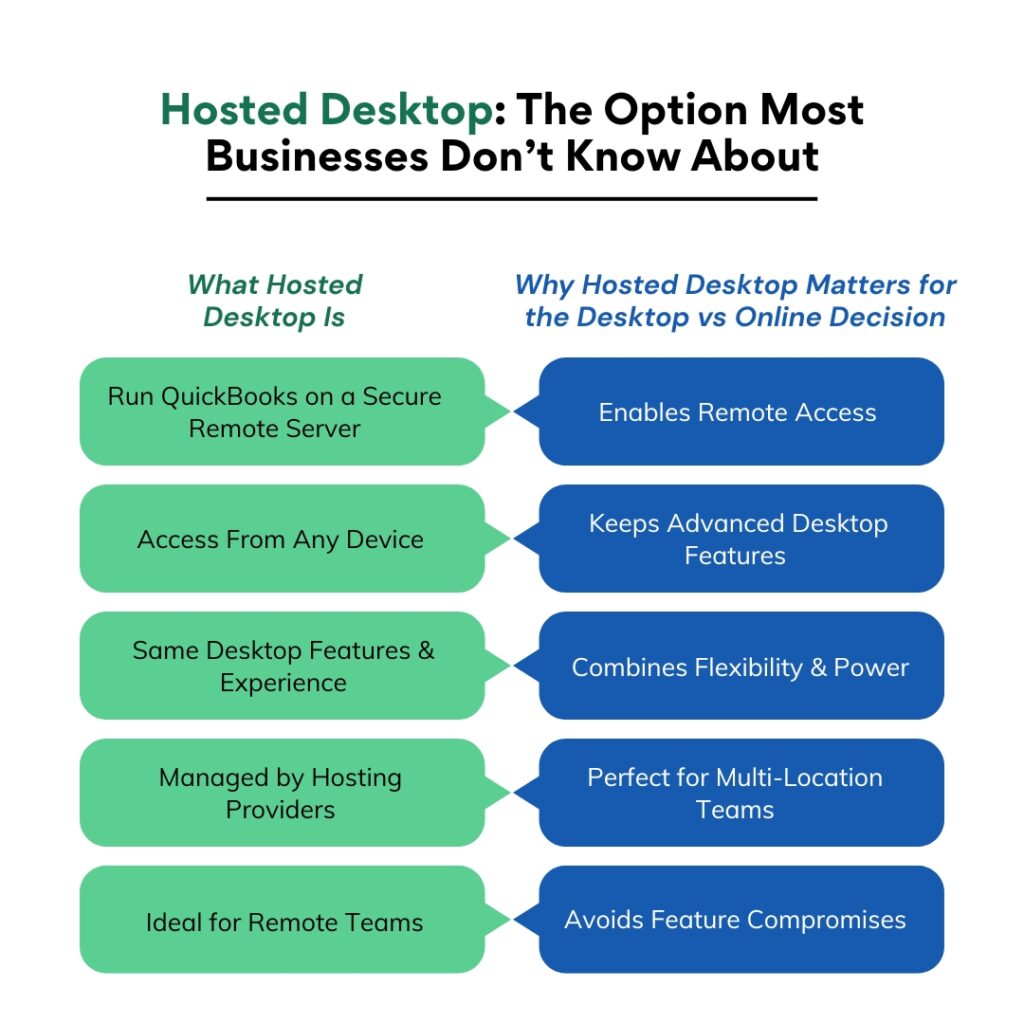
Hosted Desktop: The Option, Most Businesses Don’t Know About
What Hosted Desktop Is
Hosted Desktop is a service where a third-party company takes the existing QuickBooks Desktop software and runs it on a secure remote server. The user connects to that server from any computer, tablet, or device using a Remote Desktop connection — a secure way of viewing and controlling a computer that is in a different physical location. The QuickBooks software itself is identical to the locally installed version. Every Desktop feature works exactly the same way, because it is the same software — just running on a server that the hosting company manages instead of on a computer in the office.
Intuit directly acknowledges hosted Desktop as an option, stating on its own Desktop page: “Add cloud hosting to Desktop Enterprise to take your productivity and collaboration to the next level by letting your team work from anywhere.” Third-party hosting providers authorized by Intuit offer this service for QuickBooks Desktop Enterprise and, for existing license holders, for Pro Plus and Premier Plus as well. The hosting cost varies by provider but typically adds $50 to $100 per user per month on top of the QuickBooks Desktop license fee.
Why Hosted Desktop Matters for the Desktop vs Online Decision
The most common reason businesses switch from QuickBooks Desktop to QuickBooks Online is the desire for remote access — the ability to open QuickBooks from home, from a client’s office, or from multiple locations without being physically at the office computer where Desktop is installed. Hosted Desktop eliminates this difference. A business on hosted Desktop can access QuickBooks from any device from any location with an internet connection, exactly like QuickBooks Online, while keeping all the Desktop features that QuickBooks Online cannot provide.
A construction business with a bookkeeper working remotely and a project manager accessing QuickBooks from job sites can use hosted Desktop Enterprise and get remote multi-user access to full job costing, Advanced Inventory, and the Contractor edition reports — none of which QuickBooks Online provides. The hosted solution gives both the remote access of Online and the features of Desktop, at a higher total cost but without the feature compromise that switching to Online would require.
Decision Framework: Desktop or Online in 2026
Answer each question in order. The first “Desktop” answer stops the decision — the business should stay on Desktop. Reaching the end of all questions without a “Desktop” answer indicates QuickBooks Online is the correct direction.
| Question | Desktop Answer (Stay on Desktop) | Online Answer (Consider Switching) |
|---|---|---|
| Does the business track inventory across multiple warehouse locations, use barcode scanning, or need serial/lot number tracking? | Yes → Stay on Desktop Enterprise | No → Continue to next question |
| Does the business need full job costing by project phase with labor, materials, and overhead tracked separately? | Yes → Stay on Desktop | No → Continue to next question |
| Is the business a nonprofit, contractor, manufacturer, wholesaler, or retailer needing an industry-specific edition? | Yes → Stay on Desktop | No → Continue to next question |
| Does the business use sales orders with backorder management and pick/pack/ship workflows? | Yes → Stay on Desktop Enterprise | No → Continue to next question |
| Does the business need customer-specific pricing rules or discounts by individual customer name? | Yes → Stay on Desktop | No → Continue to next question |
| Does the business need 115+ granular user permissions to restrict screen-level access for compliance? | Yes → Stay on Desktop Enterprise | No → Continue to next question |
| Does the business operate in locations where internet access is unreliable or unavailable? | Yes → Stay on Desktop | No → QuickBooks Online is worth evaluating |
QuickBooks Desktop Support Timelines: What Existing Users Need to Know?
QuickBooks Desktop 2022 support ended May 31, 2025. As of that date, QuickBooks Desktop 2022 users no longer receive security updates, payroll tax table updates, or bank feed connections. Continuing to use QuickBooks Desktop 2022 after May 31, 2025 means processing payroll with outdated tax tables, which produces incorrect withholding calculations and potential IRS penalties. Any business still on QuickBooks Desktop 2022 needs to upgrade immediately.
QuickBooks Desktop 2023 support ends May 31, 2026. A business currently running Desktop 2023 must either upgrade to Desktop 2024 (the last version sold) or migrate to QuickBooks Online before that date to maintain payroll tax table updates and security patches. QuickBooks Desktop 2024 — confirmed by Intuit as the final Desktop version sold to new customers — is currently scheduled for support through approximately mid-2027. After that date, Desktop 2024 core accounting features continue working (invoicing, expense tracking, reporting, inventory), but connected services including payroll tax table updates and live bank feeds will end.
The practical implication for a business that needs Desktop features beyond mid-2027 is QuickBooks Desktop Enterprise, which Intuit still sells and supports with no announced end-of-sale date. Enterprise has its own version-specific support timeline, but as the only Desktop product Intuit is actively developing and selling, it is the most stable long-term Desktop option available. The G2Crowd Summer 2025 Grid Report for Accounting confirmed Desktop Enterprise as an accounting leader in the mid-market category, and Intuit confirmed in its July 2025 survey that eight out of ten Enterprise customers agree it improves their company’s bottom line.
Conclusion
Staying on QuickBooks Desktop in 2026 is the right decision for businesses with complex inventory requirements, full job costing needs, industry-specific accounting workflows, detailed user permission requirements, sales order management, or unreliable internet access. These are not preferences — they are specific functional requirements that QuickBooks Online does not currently fulfill. Switching to QuickBooks Online when the business has these requirements forces workarounds, additional software purchases, and manual processes that eliminate the efficiency and cost arguments for switching.
The key facts for 2026: QuickBooks Desktop Pro Plus and Premier Plus are no longer sold to new customers, but existing subscribers can continue renewing with full support until the version-specific end date. Desktop 2023 support ends May 31, 2026. Desktop 2024 support runs through approximately mid-2027. QuickBooks Desktop Enterprise — the only Desktop version still sold to new customers — has no announced end-of-sale date and remains Intuit’s most capable accounting product for businesses with complex operational needs.
Businesses that need remote access but cannot give up Desktop features should evaluate hosted Desktop rather than QuickBooks Online. Hosted Desktop provides the same anywhere-access as QuickBooks Online while preserving every Desktop feature. The decision between Desktop and Online should be based on what the business actually does every day — not on which direction Intuit is pushing its sales focus. The right product is the one that handles the business’ accounting requirements completely, at a predictable cost, with a support timeline long enough to plan around.
Frequently Asked Questions
1. Intuit stopped selling Desktop Pro Plus in 2024. Does this mean existing users will lose access to the software?
No. Intuit stopping sales of new Desktop Pro Plus and Premier Plus subscriptions to new US customers after September 30, 2024 does not affect existing subscribers. Confirmed by multiple sources reporting Intuit’s official policy: existing Desktop Pro Plus and Premier Plus subscribers continue receiving security updates, product updates, and Intuit support for the version they are on until that version’s specific end-of-support date.
Desktop 2024 subscribers have support through approximately mid-2027. After the end-of-support date, the software continues working for core accounting — invoicing, expense tracking, reporting — but connected services including payroll tax table updates and live bank feeds end. The business must upgrade before the end-of-support date to maintain payroll compliance.
2. QuickBooks Online Advanced costs $200 per month. How does that compare to QuickBooks Desktop Enterprise for a 5-user business?
QuickBooks Online Advanced at $200 per month is $2,400 per year before payroll. Adding QuickBooks Online Payroll at $50 per month plus $6.50 per employee brings the annual cost to $3,000 or more for a business with even a small number of employees. QuickBooks Desktop Enterprise Silver starts at approximately $1,740 to $1,922 per year for a single user — Enhanced Payroll is included at the Gold tier.
For a 5-user business comparing Enterprise Gold to QuickBooks Online Advanced plus payroll, the total annual cost of Enterprise may be comparable or lower depending on user count and employee numbers. The cost comparison must include payroll add-on costs for QuickBooks Online, because payroll is not included in the base Online subscription at any tier.
3. The business needs remote access to QuickBooks but also uses Advanced Inventory. What is the best option?
Hosted Desktop Enterprise is the documented solution for this exact scenario. A third-party hosting provider authorized by Intuit installs QuickBooks Desktop Enterprise on a secure remote server. All users access it from any device using a Remote Desktop connection, which shows the full QuickBooks Desktop interface on any screen with an internet connection.
Every Enterprise feature — including Advanced Inventory with multi-location tracking, barcode scanning, FIFO costing, serial/lot tracking, and the full sales order workflow — works exactly as it does in a locally installed version. Intuit’s own Desktop page acknowledges cloud hosting as an option for Enterprise users who want remote access without giving up Desktop features.
4. QuickBooks Desktop 2023 support ends May 31, 2026. What happens to the payroll data if the software is not upgraded by then?
Payroll tax table updates — the downloads from Intuit’s servers that update federal and state withholding rates, payroll deduction limits, and tax form specifications — stop being available after the version-specific end-of-support date. Without current tax table updates, QuickBooks calculates payroll withholding using outdated rates.
Outdated payroll withholding means employee paychecks have incorrect federal income tax, Social Security, Medicare, or state income tax deductions. This produces incorrect W-2 forms at year-end and can result in IRS penalties for underpayment of employment taxes. The business must upgrade to QuickBooks Desktop 2024 or migrate to QuickBooks Online before May 31, 2026 to maintain payroll compliance.
5. A user switched from QuickBooks Desktop to Online and found the inventory features were not adequate. Can they switch back?
Switching from QuickBooks Online back to QuickBooks Desktop is possible but has specific limitations that Intuit documents. Data can be exported from QuickBooks Online and imported into QuickBooks Desktop, but the migration does not transfer all data and features — thorough preparation and backup are required before switching.
The more important issue is product availability: QuickBooks Desktop Pro Plus and Premier Plus are no longer sold to new US customers. A user who switched from Pro Plus to QuickBooks Online and wants to return to Desktop Pro Plus cannot purchase a new Pro Plus subscription from Intuit directly.
QuickBooks Desktop Enterprise remains available and is the only Desktop version Intuit currently sells to new customers. For a business that switched to Online and found the inventory features inadequate, the path back is QuickBooks Desktop Enterprise, which includes all the Advanced Inventory features that Online lacks.

Anusmita is a seasoned content writer who brings perspective to words. As a writer, she enriches her work with a journalistic aptitude, utilising her training in Mass Communication and Journalism. She loves to travel and explore, which imparts a greater sense of understanding, maturity, and experience that are reflected in her content.
Beyond her professional work, Anusmita enjoys painting, singing, dancing, and spending time planting. She is also a self-proclaimed foodie who loves exploring different cuisines, an interest that further adds to her curiosity and perspective as a writer.
Leave a Reply